

IPTV stands for Internet Protocol Television. It is a way to watch TV using the internet instead of cable or satellite. In simple terms, TV channels and videos are sent through your internet connection. This allows more control and flexibility for viewers. Unlike traditional TV, IPTV does not broadcast all channels at once. It sends only the content you choose. From my experience in digital media, this shift changed how people consume television. It feels more personal and efficient.
IPTV works by breaking video content into data packets. These packets travel over the internet to your device. A set-top box, smart TV, or app then decodes the data and plays the video. Because it uses the internet, quality depends on your connection speed. Faster internet usually means smoother streaming and better picture quality.
Key IPTV Features:
- Live TV: Watch channels in real time, similar to cable TV.
- Video on Demand: Choose movies or shows and watch anytime.
- Time-Shifted TV: Replay shows that aired earlier.
- Device Support: Works on TVs, phones, tablets, and computers.
I see IPTV as a practical option for users who want choice and convenience. It suits modern viewing habits without adding technical complexity.
Types of IPTV Services
IPTV services are generally categorized based on how content is delivered and consumed. Below are the main types, each designed to meet different viewing preferences and use cases.
Live IPTV
Live IPTV streams television channels in real time, similar to traditional cable or satellite TV. It’s ideal for watching live sports, news, and events as they happen. Users typically access a channel guide and tune in at scheduled broadcast times.
Video on Demand (VOD)
VOD allows viewers to choose and watch content whenever they want. This includes movies, TV series, documentaries, and exclusive shows. Content is stored on servers and can be paused, rewound, or replayed, making it one of the most popular IPTV service types.
Time-Shifted IPTV
Time-shifted IPTV lets users watch previously broadcast programs at a later time. Common features include catch-up TV (watching shows aired earlier in the day or week) and start-over TV (restarting a live program from the beginning).
Near Video on Demand (NVOD)
NVOD is a scheduled form of on-demand content where the same program is broadcast at staggered intervals across multiple channels. Users can choose the closest start time without waiting long, offering flexibility without full VOD functionality.
Hybrid IPTV
Hybrid IPTV combines traditional broadcast TV with internet-based IPTV services. This allows viewers to enjoy live TV alongside interactive features like on-demand libraries, apps, and streaming platforms—all through a single interface.
Subscription-Based IPTV
This type requires users to pay a recurring fee (monthly or yearly) for access to a package of channels and on-demand content. Subscription IPTV often includes premium features such as HD/4K streaming, multi-device access, and customer support.
Free IPTV
Free IPTV services provide access to a limited selection of channels or content without a subscription fee. While cost-effective, these services may include ads, lower streaming quality, or limited reliability compared to paid options.
IPTV Streaming Protocols Explained
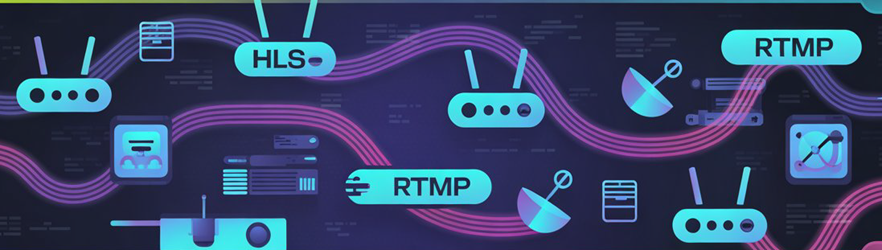
IPTV streaming protocols are the backbone of how IPTV works. They control how video data moves from the service provider to your screen. In simple terms, a protocol decides how fast, how stable, and how clearly the content plays. When people ask what IPTV is, they often miss this technical layer, even though it directly affects buffering, video quality, and device compatibility. I have seen many users blame their internet speed when the real issue is the protocol being used.
Different protocols serve different purposes. Some are better for live TV, while others focus on on-demand content. Choosing the right one helps IPTV providers balance speed, reliability, and cost. My experience shows that understanding these protocols helps users make smarter choices when selecting an IPTV service.
- HTTP Live Streaming (HLS): This protocol breaks video into small chunks. It works well on most devices and adjusts quality based on internet speed.
- Real-Time Streaming Protocol (RTSP): Commonly used for live streams. It offers low delay but may struggle on unstable networks.
- Multicast IPTV: Designed for large audiences. It reduces bandwidth usage but usually works only on managed networks.
- MPEG-DASH: Similar to HLS but more flexible. It supports higher-quality streams and modern devices.
Each protocol has strengths and limits. Knowing them helps beginners understand why IPTV performance can vary.
Live TV vs Video on Demand (VOD) in IPTV
In IPTV, Live TV and Video on Demand serve different viewing habits. Live TV streams channels in real time. It feels close to cable or satellite but works over the internet. VOD lets users watch content whenever they want. Both options matter, but their value depends on how people consume media today.
Live TV is best for events that happen now. News, sports, and special broadcasts fit this format. There is no waiting and no skipping ahead. I often see Live TV preferred in homes where shared viewing still matters. VOD, on the other hand, gives full control. Viewers pause, rewind, or start later. This suits busy schedules and solo viewing.
From an IPTV service point of view, VOD is more flexible. It uses servers efficiently and reduces peak load issues. Live TV needs stable bandwidth and low delay. That makes quality more sensitive to internet speed. My experience shows users stay longer with platforms that balance both.
- Live TV: Real-time streaming, ideal for sports, news, and events.
- VOD: On-demand access, better for movies, series, and flexible viewing.
- User Control: VOD offers more freedom, Live TV offers shared moments.
- Network Needs: Live TV needs stronger stability than VOD.
The best IPTV services combine Live TV and VOD to meet modern viewing needs.
How IPTV Delivers Content Over the Internet
IPTV delivers TV content using internet networks instead of traditional cable or satellite signals. The process starts when a viewer selects a channel or a video. That request is sent to the IPTV provider’s server. The server then streams the content in small data packets. These packets travel over the internet and reach the user’s device. The device rebuilds them into smooth video and audio.
Unlike old broadcast TV, IPTV works on a request-based model. Only the selected content is delivered. This reduces wasted bandwidth and improves efficiency. I find this method more flexible than fixed broadcasts. IPTV also uses content delivery networks to keep streams stable. These networks place content closer to users. This helps reduce buffering and delay.
IPTV supports both Live TV and Video on Demand. Live TV uses continuous streaming. VOD uses stored files that start when the user clicks play. My experience shows that internet speed plays a big role in quality. A stable connection gives better picture and sound.
- Internet Protocol: Content travels as data packets over IP networks.
- Servers: Central systems store and stream channels and videos.
- User Request: Only selected content is delivered to the viewer.
- Device Playback: Smart TVs and apps convert data into video.
This delivery model makes IPTV adaptable and user focused.
Is IPTV Legal in Canada?
IPTV legality in Canada depends on how the service gets and delivers content. IPTV itself is only a technology. It sends TV over the internet instead of cable or satellite. That part is legal. The real issue is licensing. If an IPTV provider has proper rights to stream channels and shows, it is legal in Canada. If it streams paid TV content without permission, it is illegal.
Many Canadians feel confused because illegal IPTV services often look professional. They offer hundreds of channels for a very low price. That pricing is usually a warning sign. In my experience, legal IPTV services are clearer about who they are and how they operate.
Legal IPTV services: Offered by licensed companies like telecom providers or official streaming platforms. They follow Canadian copyright laws and pay content owners.
- Illegal IPTV services: Resell premium channels without permission. Using them can lead to fines or service shutdowns.
- User responsibility: Canadian law focuses on sellers, but users are not fully protected. Choosing a legal service is safer.
- How to check legality: Look for clear company details, customer support, and normal market pricing.
I always suggest choosing licensed IPTV options. They provide stable service and respect Canadian broadcasting rules.
Free IPTV vs Paid IPTV Services
When learning what IPTV is, many people first compare free IPTV and paid IPTV services. Both use the internet to stream TV channels, but the experience and risks are very different. Free IPTV may look attractive at first because there is no cost. Still, it often comes with quality, legal, and security concerns. Paid IPTV services usually offer better stability and follow proper rules. Understanding these differences helps users choose a safer and more reliable option.
| Feature | Free IPTV Services | Paid IPTV Services |
| Cost | No upfront cost, but often comes with hidden risks | Monthly or yearly subscription with clear pricing |
| Content Quality | Low or inconsistent video quality | HD or 4K streaming with stable performance |
| Legality | Often operates without proper licenses | Usually licensed and compliant with local laws |
| Reliability | Frequent buffering and sudden shutdowns | Reliable servers with minimal downtime |
| Customer Support | No support or community-based help only | Dedicated customer support and service updates |
| Security | Higher risk of malware and data tracking | Better data protection and secure payment options |
Pros & Cons of IPTV
Understanding the pros and cons of IPTV is important before replacing traditional TV services. IPTV uses the internet to stream television content, which offers more freedom and choice. At the same time, it depends heavily on internet quality and the provider’s reliability. I have seen users enjoy great flexibility with IPTV, but only when they choose the right service.
| Aspect | Pros | Cons |
| Content Access | Large range of live TV, movies, and on-demand shows | Some content may be missing on certain services |
| Device Compatibility | Works on smart TVs, mobiles, tablets, and computers | Older devices may not support IPTV apps |
| Cost | Often cheaper than cable or satellite TV | High-quality services may still cost more |
| Internet Requirement | No need for cable or dish installation | Requires fast and stable internet connection |
| Service Reliability | Good providers offer smooth and stable streaming | Unlicensed services can shut down without warning |
| Legal Safety | Licensed IPTV services follow broadcasting rules | Illegal IPTV use may involve legal and security risks |
How IPTV Uses Bandwidth and Internet Speed
IPTV works by sending TV content over the internet instead of cable or satellite. This means your internet speed and bandwidth directly affect how well IPTV performs. In my experience, many beginners think IPTV uses the internet the same way as browsing websites, but it actually needs much more data, especially for live TV and high-quality streams.
Bandwidth is the amount of data your connection can handle at one time. IPTV uses continuous data flow, so a stable connection matters more than just high speed. Internet speed decides how fast the data reaches your device, while bandwidth decides how many streams can run smoothly at once.
- SD streaming: Usually needs around 3 to 5 Mbps. It works on most basic connections.
- HD streaming: Requires about 8 to 10 Mbps for clear and steady playback.
- Full HD or 4K: Can need 20 Mbps or more, especially for live channels.
- Multiple devices: Each active stream adds extra load on your bandwidth.
IPTV also depends on internet stability. Sudden drops can cause buffering or frozen screens. I often suggest using a wired connection if possible, as it reduces interruptions. Understanding how IPTV uses bandwidth helps you choose the right internet plan and enjoy smooth viewing without frustration.
IPTV Quality: SD vs HD vs Full HD vs 4K
IPTV quality plays a big role in how enjoyable your viewing experience feels. Over the years, I have seen many users focus only on channel count and forget about picture clarity. IPTV usually comes in four main quality levels: SD, HD, Full HD, and 4K. Each option fits a different type of viewer and internet setup. Choosing the right one depends on your screen size, internet speed, and viewing habits. A higher resolution looks better, but it also needs more bandwidth. For beginners, understanding these differences helps avoid buffering, pixelation, and wasted data.
- SD Quality: SD stands for Standard Definition. It works well on small screens and slow internet connections. The picture looks basic and may appear blurry on modern TVs.
- HD Quality: HD offers a sharper image than SD. It suits most casual viewers and runs smoothly on average internet connections.
- Full HD Quality: Full HD delivers clear details and better colors. It is ideal for larger screens and for watching sports or movies.
- 4K Quality: 4K provides the highest level of clarity with rich detail. It requires fast internet and a compatible TV. In my experience, it is best for users who want premium viewing and have strong bandwidth.
How to Set Up IPTV at Home
Setting up IPTV at home is simpler than many beginners expect. IPTV works through the internet, not cables or satellite dishes. The key is to prepare the right devices and a stable connection before you start. Most issues people face come from skipping basic setup steps. When done correctly, IPTV can run smoothly and deliver consistent picture quality. I often see users rush the process, which leads to buffering or login errors. Taking a few minutes to set things up properly saves time later.
- Internet Connection: A steady internet connection is the foundation. For SD or HD, average speeds work fine. Full HD and 4K need faster and more stable bandwidth.
- Compatible Device: IPTV works on Smart TVs, Android boxes, Firestick, smartphones, tablets, and computers. Choose a device you already use daily.
- IPTV App: Install a trusted IPTV player from the official app store. The app does not provide channels but acts as a viewer.
- IPTV Subscription Details: Enter the playlist URL or login details from your IPTV provider. Double check spelling to avoid errors.
- Testing and Adjustment: Test a few channels first. In my setup, adjusting video settings helps match screen size and internet speed.
Common IPTV Problems and How to Fix Them
IPTV is popular because it offers live TV and on-demand content over the internet. But like any online service, it can face problems. In my experience, most IPTV issues are simple and linked to internet quality, device setup, or the service itself. Knowing the cause helps you fix the problem faster and avoid frustration. These issues are common for beginners, and they do not always mean the IPTV service is bad.
- Buffering and Freezing: This usually happens due to slow or unstable internet. Use a wired connection if possible. Restart your router and close other apps using bandwidth.
- Channels Not Loading: This can occur when the IPTV server is down or overloaded. Refresh the playlist or wait a few minutes before trying again.
- Poor Video Quality: Low resolution often means limited internet speed. Reduce the stream quality in settings or upgrade your internet plan.
- App Crashing: Outdated apps cause this issue. Update the IPTV app and your device software. Clearing the app cache also helps.
- Audio Out of Sync: Restart the stream or change the media player inside the IPTV app settings.
IPTV works best when the internet, device, and service are well balanced. I always suggest testing one fix at a time so you know what actually solved the issue.
How to Choose the Best IPTV Service in Canada
Choosing the right IPTV service in Canada can feel confusing for beginners. Many services look similar, but the experience can vary a lot. A good IPTV service should match your viewing needs, internet speed, and device type. I have seen users blame IPTV itself when the real issue was a poor service choice. That is why it is important to look beyond price and focus on quality and reliability.
- Channel Selection: Check if the service offers Canadian local channels, sports, news, and popular international content. Some services focus more on global channels than local ones.
- Streaming Quality: Look for HD or 4K support with stable playback. A good service adjusts quality based on your internet speed.
- Server Stability: Reliable servers reduce buffering and downtime. This matters more during live sports and events.
- Device Compatibility: Make sure it works on Smart TVs, Android boxes, Firestick, or mobile devices you already use.
- Customer Support: Responsive support through chat or email helps when setup issues appear.
- Trial or Short Plans: A trial shows real performance. I always suggest testing before committing long term.
The best IPTV service in Canada balances content, performance, and support. A careful choice saves time and avoids common streaming problems.
Conclusion
IPTV represents a modern approach to television by delivering content through internet networks instead of traditional broadcast methods. It offers flexibility, high-quality streaming, on-demand access, and personalized viewing experiences. With minimal equipment and growing internet availability, IPTV is transforming how users consume media, making television more interactive, convenient, and aligned with today’s digital lifestyles.
FAQs
How does IPTV content reach your device?
IPTV content reaches your device through an internet protocol network rather than traditional broadcast signals. Video streams are delivered via broadband using IP packets, allowing real-time or on-demand viewing. Content is requested by the user and transmitted securely to compatible devices through dedicated IPTV servers.
Where can IPTV be used effectively?
IPTV can be used effectively anywhere with a stable internet connection. It works well in homes, offices, hotels, hospitals, and educational institutions. Businesses use IPTV for internal communication, while consumers enjoy entertainment on smart TVs, mobile devices, or computers, making it highly flexible and location-independent.
Do I need special equipment to use IPTV?
You typically don’t need complex equipment to use IPTV. A smart TV, smartphone, tablet, or computer is often sufficient. In some cases, a set-top box or IPTV app may be required. The key requirement is a compatible device and a reliable internet connection.
Is IPTV dependent on internet speed?
Yes, IPTV performance is strongly dependent on internet speed and stability. Higher speeds ensure smoother streaming, better video quality, and minimal buffering. Standard definition requires less bandwidth, while HD and 4K streams need faster connections. Consistent latency and low packet loss also improve the overall IPTV experience.
Does IPTV allow content personalization?
IPTV allows advanced content personalization through user profiles and viewing behavior analysis. Users can receive tailored recommendations, customized channel lists, and on-demand content based on preferences. This personalized experience enhances engagement, giving viewers more control over what they watch and when they watch it.