
Key Takeaway
For an Xtream-based account, start with TiviMate for remote-first Android TV navigation, Sparkle TV for clearly documented source flexibility and upgrade options, and IPTVX for polished Apple and Android coverage. All three are players rather than channel subscriptions, so verify the publisher, exact device edition, billing terms, and your separate content provider before entering credentials.
The best Xtream Codes players are media applications, not television subscriptions. They accept a server address, username, and password from a separate authorized service, then organize the account’s live channels, guide data, movies, and series. I compared genuine players by platform fit, playlist controls, EPG handling, privacy boundaries, and the clarity of their official documentation.

This shortlist deliberately separates software from content. None of the ranked apps supplies channels or proves that an account is licensed. Choose the interface that fits your devices, install it from a verified publisher, and enter only credentials for programming you are entitled to access.
Best Xtream Codes Players Explained
1) TiviMate
| Best For | Remote-first Android TV viewing |
| Xtream Login | Supported through playlist setup |
| Platforms | Android TV and Fire TV-class devices |
| Trial | Basic version available |
TiviMate takes the top position for viewers who mainly watch on an Android TV box, Google TV device, Nvidia Shield, or Fire TV. Its official site clearly states that the app is a media player and includes no programming. The interface is built around a television remote, with a conventional program grid and fast switching between playlists. I rank it first because its navigation, playlist management, and television-focused layout address the daily tasks that matter most on a large screen. It is not optimized for phones or tablets, so households wanting one identical app everywhere should consider IPTVX or IPTV Smarters Pro instead.
Why choose TiviMate?
- Television-First Interface: Menus, guide navigation, and playback controls are designed for a directional remote instead of requiring touch gestures.
- Multiple Playlists: Separate authorized accounts can be organized and switched inside one interface without merging every source into an indistinct list.
- Guide Management: Search, favorites, catch-up access, and program-guide tools make a large provider-supplied lineup easier to browse.
- Advanced Viewing: The publisher lists multiview and recording, although both still depend on device resources and the source allowing the requested streams.
- Household Controls: Parental controls and interface personalization help adapt the player for shared televisions and different viewing habits.
- My Main Caveat: I would choose TiviMate for a TV-centered setup, not as the only player for a phone-heavy household.
Advantages
- Excellent remote and guide navigation.
- Strong multi-playlist organization tools.
- Useful recording and multiview options.
- Clear software-only publisher disclosure.
Disadvantages
- Not optimized for mobile devices.
- Premium functions require a paid upgrade.
- Source quality controls playback reliability.
Pricing
TiviMate provides a basic player and sells Premium access for additional application features. The publisher’s current purchase flow should be checked directly because price, billing period, device allowance, and regional store terms can change. Paying for Premium unlocks software functions only; it does not include television programming.
Link: tivimate.com
2) Sparkle TV
| Best For | Flexible Android TV source management |
| Xtream Login | Explicit Xtream Codes API support |
| Platforms | Android TV, Google TV, and Fire TV |
| Trial | Free Basic version available |
Sparkle TV is the strongest alternative for viewers who want an Android television player with unusually broad source support. The official documentation names Xtream Codes API alongside M3U, XMLTV, Stalker Portal, Tvheadend, Jellyfin, Plex, and other systems. Its Basic edition covers ordinary playback, while Plus adds features such as DVR, timeshift, multiple sources, favorites, multiview, and VOD support. I place Sparkle second because the publisher documents both compatibility and current upgrade prices more transparently than many rivals. It remains a player only, and advanced features will not repair inaccurate guide data, missing archives, or connection limits imposed by the source account.
Why choose Sparkle TV?
- Explicit API Support: The official source list specifically names Xtream Codes API, reducing ambiguity about the intended credential workflow.
- Broad Source Options: M3U, XMLTV, Stalker, home-server, and tuner integrations suit households managing more than one legitimate media system.
- Guide Controls: EPG images, channel sorting, search, favorites, and category visibility controls make dense lineups easier to reduce.
- Playback Extras: Multiple audio tracks, subtitle formats, automatic frame-rate switching, and remote customization provide useful television-level control.
- Upgrade Transparency: Monthly, yearly, and one-time Plus prices are published on the official site, making costs easier to compare.
- My Best Fit: I favor Sparkle when one television must combine an Xtream account with local or home-server sources.
Advantages
- Supports many legitimate source formats.
- Publishes clear Plus upgrade pricing.
- Strong guide and DVR features.
- Remote controls are highly customizable.
Disadvantages
- Many advanced tools require Plus.
- Designed mainly for Android televisions.
- DVR depends on available storage.
Pricing
The official site listed Sparkle TV Plus at $1.49 monthly, $7.99 yearly, or $20.99 as a one-time purchase when checked on October 13, 2026. Store taxes and regional billing can differ. Basic playback is available without buying Plus, and no plan includes channels or a playlist.
Link: sparkleplayer.com
3) IPTVX
| Best For | Polished multi-platform libraries |
| Xtream Login | Dedicated Xtream import workflow |
| Platforms | Apple, Android, Google TV, and Fire OS |
| Trial | No public trial listed |
IPTVX suits viewers who care about presentation and want one current player family across Apple and Android hardware. Its official Xtream/M3U guide shows separate fields for the server, username, and password, and the product site lists Apple TV, iPhone, iPad, Mac, Android TV, Google TV, Nvidia Shield, Android mobile devices, and an official Fire OS installation route. I rank IPTVX third because it pairs broad platform coverage with playlist search, custom EPG assignment, progress sync, casting, recording, and parental controls. Some capabilities depend on the operating system, subscription, and source, so readers should verify the exact device edition before purchasing.
Why choose IPTVX?
- Cross-Platform Reach: Current official pages cover Apple devices, Android TV and mobile hardware, Google TV, Nvidia Shield, and Fire OS.
- Structured Import: The documented Xtream flow uses a complete server address, username, and password, then generates guide information when supported.
- Library Presentation: Search, metadata, custom category order, favorites, and watch-state tools make mixed live and on-demand libraries easier to navigate.
- Continuity Features: Supported configurations can synchronize selected data across devices, while phone pairing simplifies account entry on a television.
- Playback Options: Picture-in-picture, casting, AirPlay, subtitles, guide reminders, and recording are listed, with availability varying by platform.
- My Apple Pick: I consider IPTVX the most coherent choice when Apple TV, iPhone, iPad, and Mac all matter.
Advantages
- Polished library and guide presentation.
- Supports Apple and Android families.
- Detailed official feature documentation.
- Clear player-only legal boundary.
Disadvantages
- Features vary between operating systems.
- Full access requires a subscription.
- Fire OS uses sideload installation.
Pricing
IPTVX offers software subscriptions through supported stores and, where available, its direct account system. Public pricing can differ by platform, region, and purchase source, so confirm the final amount and renewal terms in the edition you will use. The subscription covers player features, not media content.
Link: iptvx.app
4) OTT Navigator
| Best For | Advanced Android configuration |
| Xtream Login | Dedicated provider template |
| Platforms | Android phones, tablets, and Android TV |
| Trial | Free version; Premium optional |
OTT Navigator is designed for viewers who want deeper control than a simplified television interface provides. Its official FAQ describes the app as a player without content and documents an Xtream Codes provider template, multiple profiles, codec selection, external-player handoff, backups, parental restrictions, and detailed playlist behavior. The September 2026 changelog adds recording destinations, large-category loading improvements, guide controls, DNS-over-HTTPS, proxy settings, and audio-delay adjustment. I place it fourth because that flexibility is valuable for complex Android setups, but the number of settings can overwhelm a household that only wants to enter three credentials and start watching.
Why choose OTT Navigator?
- Detailed Provider Templates: Xtream, playlist, and portal configurations are separated so users can match the method actually supplied by an authorized service.
- Codec Control: Hardware, compatibility, software, and external playback choices help isolate device-decoding problems without assuming the account itself is broken.
- Large-Library Tools: Category controls, search, favorites, profiles, and recent lazy-loading improvements are useful when the source returns extensive lists.
- Recording Flexibility: Current documentation covers recordings to internal, removable, network, or WebDAV storage when the device and source permit it.
- Privacy Options: Restricted profiles, hidden provider details, custom DNS, and proxy controls give experienced users more configuration choices.
- My Power-User Choice: I prefer OTT Navigator when troubleshooting and fine-grained behavior matter more than immediate simplicity.
Advantages
- Exceptionally deep Android configuration options.
- Maintains detailed technical documentation.
- Flexible codecs and storage destinations.
- Multiple profiles support shared devices.
Disadvantages
- Interface can feel configuration-heavy.
- No native desktop application exists.
- Some features require Premium access.
Pricing
OTT Navigator provides a usable player with optional Premium access managed through supported stores or its companion account flow. The official documentation does not present one universal public price for every region and channel, so verify the displayed amount, device terms, and renewal conditions before paying.
Link: ottnav.github.io
5) Televizo
| Best For | Simple Android phone and TV use |
| Xtream Login | Supported alongside playlist URLs |
| Platforms | Android phone, tablet, and television |
| Trial | Free ad-supported version |
Televizo is a practical middle ground for Android users who want fewer menus than OTT Navigator without giving up core playlist controls. The verified Google Play listing identifies Andrey Menscikov as the developer and lists multiple playlists, EPG, catch-up, Chromecast, sorting, search, parental control, favorites, and video, audio, and subtitle selection. The publisher also states clearly that the app supplies no content. I rank Televizo fifth because the same Android application family works on phones, tablets, and televisions, which simplifies setup across a mixed household. Advertising and optional purchases remain part of the store model, and it has no native Apple edition.
Why choose Televizo?
- Simple Android Coverage: One player family serves phones, tablets, Android TV hardware, and compatible television devices without claiming unrelated desktop support.
- Multiple Playlists: Users can keep separate authorized sources inside the app instead of replacing the active list whenever credentials change.
- Guide Essentials: EPG, catch-up, favorites, search, and sorting cover the main functions needed to navigate a structured Xtream account.
- Track Selection: Video, audio, and subtitle controls are useful when the source exposes alternate tracks for a program.
- Casting Support: Chromecast can move compatible playback from a mobile device to a larger screen, subject to source and network behavior.
- My Simplicity Pick: I would choose Televizo when a household needs familiar Android controls without a dense expert-settings menu.
Advantages
- Works across common Android screens.
- Clear core playlist management.
- Useful casting and catch-up support.
- Publisher identifies the official APK.
Disadvantages
- Free edition contains advertising.
- No native Apple device version.
- Premium pricing varies by store.
Pricing
Televizo is available with advertising and in-app purchases according to its verified Google Play listing. Premium pricing is displayed through the relevant store and can vary by country, device, and tax. Check the publisher name and app identifier before purchasing because similarly named IPTV applications exist.
Link: televizo.net
6) IPTV Smarters Pro
| Best For | Familiar multi-device setup screens |
| Xtream Login | Server, username, and password workflow |
| Platforms | Availability varies by official device edition |
| Trial | Free core player; upgrades vary |
IPTV Smarters Pro remains useful because its login vocabulary is widely recognized and separates live television, movies, series, and guide information into straightforward areas. It accepts the familiar profile name, server URL, username, and password workflow used by Xtream-style accounts. I place it sixth because it is easy to explain to a new user, but the name is also widely copied by unrelated or rebranded applications. That makes publisher verification more important than with a uniquely named product. Platform editions, store presence, optional upgrades, and feature sets can differ, so use the official developer route and inspect the current listing before entering private credentials.
Why choose IPTV Smarters Pro?
- Recognizable Setup: The profile name, server, username, and password sequence is easy to match with credentials supplied by an authorized operator.
- Clear Media Areas: Separate live, movie, series, and guide sections reduce the need to understand raw playlist structures.
- Beginner-Friendly Layout: Large content categories and direct account addition suit users who do not want extensive interface configuration.
- External Playback: Some official editions can hand compatible streams to another installed player when a different decoder is needed.
- Edition Awareness: Checking the exact publisher, privacy statement, permissions, and update history helps avoid lookalike applications using similar names.
- My Caution: I treat publisher identity as part of the product comparison, not as a detail to check after installation.
Advantages
- Familiar login fields for beginners.
- Clear live and VOD sections.
- Available across multiple device families.
- Simple profile creation process.
Disadvantages
- Many lookalike editions cause confusion.
- Features differ between official releases.
- Store availability can change regionally.
Pricing
The core player is commonly offered without a channel subscription, while optional features and branded editions may use different purchase models. Because no single price applies to every platform edition, confirm the exact developer, current store terms, and included software features before paying.
Link: iptvsmarters.com
7) OTR Player
| Best For | Built-in playback choices on Android |
| Xtream Login | Supports all documented Xtream versions |
| Platforms | Android TV, phone, tablet, and Fire TV |
| Trial | No public trial listed |
OTR Player is the current name used in the Ottrun documentation for the application formerly known as XCIPTV Player. The official wiki lists support for Xtream Codes versions, Xtream UI, M3U URLs, Android TV, Android phones and tablets, and Fire TV. It also documents built-in ExoPlayer and VLC engines, EPG, catch-up, VOD, series, multiview, favorites, parental controls, backup, and recording. I rank it seventh because the two-player approach can help on devices where one decoder handles a particular authorized stream better than another. The product’s strong customization and provider-branding orientation can make official-edition identification less obvious for ordinary consumers.
Why choose OTR Player?
- Wide Xtream Support: The official documentation explicitly lists all Xtream Codes versions plus Xtream UI and newer M3U support.
- Two Playback Engines: Built-in ExoPlayer and VLC options provide an alternative when one decoder encounters a compatible-stream problem.
- Television Features: EPG, catch-up, multiview, reminders, recording, favorites, and parental controls cover common living-room requirements.
- Account Backup: Documented backup and restore tools can preserve selected settings, favorites, and watched state across supported devices.
- Connection Visibility: Account information and built-in diagnostics can help distinguish an expired account from a local playback issue.
- My Verification Step: I would confirm the publisher and current official build before trusting any XCIPTV-branded download with credentials.
Advantages
- Includes two internal playback engines.
- Explicit broad Xtream version support.
- Strong television and guide tools.
- Supports backup and restoration.
Disadvantages
- Branding history may confuse users.
- Documentation mixes consumer and reseller tools.
- Focused mainly on Android devices.
Pricing
OTR Player’s distribution and purchase terms can depend on the edition and store. The public documentation does not provide one stable consumer price that applies everywhere, so verify the exact listing, developer, upgrade terms, and supported devices before installation. No programming is included with the player.
Link: ottrun.com
8) Purple Player
| Best For | Households needing several platform editions |
| Xtream Login | Documented Xtream credential workflow |
| Platforms | iOS, Android, Samsung TV, Mac/Windows, and web variants |
| Trial | No public trial listed |
Purple Player earns the final place because its documented app suite reaches devices that are not covered by Android-only choices. The publisher’s support hub lists iOS, Android phone, Samsung TV, Mac/Windows, web, and other Purple editions, while its login guide shows playlist name, username, password, and server URL fields for an Xtream-style profile. I include it for platform breadth rather than assuming every edition behaves identically. Features, activation methods, and availability can differ substantially across the suite, so the exact device documentation matters. The publisher states that its products do not provide content or playlists, keeping the software role separate from the source account.
Why choose Purple Player?
- Platform Variety: The support hub documents separate editions for mobile, television, desktop, and browser use instead of implying one universal binary.
- Credential Guide: Official instructions show the playlist label, username, password, and server URL required for an Xtream-style account.
- Television Options: Samsung TV and Android-oriented editions can help households that cannot install the same store app on every screen.
- Account Separation: The player suite states that it supplies no programming, so users must obtain and verify their own authorized source.
- Edition Matching: Device-specific support pages reduce guesswork when activation, playlist entry, and interface behavior differ between platforms.
- My Placement Reason: I rank Purple lower because breadth is useful only after confirming the exact official edition and its current terms.
Advantages
- Covers several major device families.
- Documents direct Xtream credential entry.
- Offers device-specific help pages.
- Separates player from content source.
Disadvantages
- Feature parity varies by edition.
- Activation models can differ significantly.
- Product naming is sometimes fragmented.
Pricing
Purple Player pricing and activation depend on the selected application and device platform. Consult the official support path for that exact edition before paying, and verify whether a charge is recurring or one-time. An activation purchase covers the player only and does not include channels or account credentials.
Link: purpletv.app
How to Choose an Xtream-Compatible Player
The right choice starts with the screen you use most. A remote-first Android television interface, a touch-focused mobile player, and a synchronized Apple library solve different problems even when each accepts the same three account fields. I also weigh publisher identity, update history, privacy documentation, guide controls, and the ease of removing saved credentials.
- Primary Device: Choose a television-first interface for a shared screen and a touch-optimized edition for frequent phone or tablet use.
- Official Publisher: Match the developer name, website, store listing, privacy policy, and support route before entering a private account.
- Guide Tools: Confirm EPG refresh, time-zone adjustment, favorites, search, and category controls instead of assuming every player handles metadata equally.
- Playback Controls: Subtitle tracks, alternate audio, aspect ratio, decoder selection, casting, and picture-in-picture matter only when your device and stream support them.
- Household Needs: Multiple profiles, parental locks, playlist hiding, and backup tools can be more valuable than decorative themes on a shared television.
- Exit Path: Make sure you can remove profiles, cancel software billing, clear stored credentials, and migrate to another maintained player.
Set Up Xtream Credentials Safely
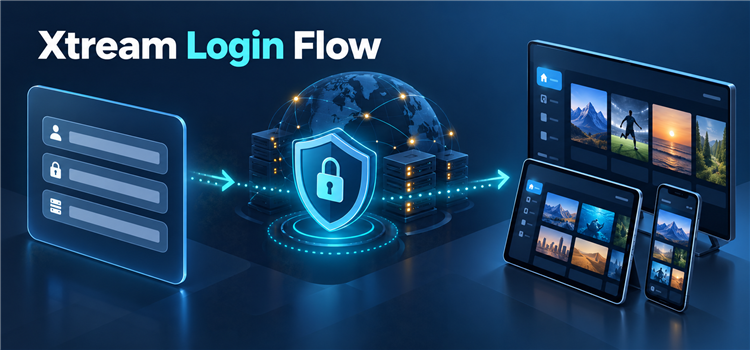
An Xtream-style login normally contains a server address, username, and password. Follow the exact format supplied by an authorized operator; do not add API paths, change the port, or submit the details to an online converter. Our Xtream Codes explanation covers the request flow and why successful authentication is not proof of content rights.
- Install Carefully: Use the verified developer site or official store listing and avoid modified packages promoted through anonymous download pages.
- Name Locally: The optional profile name is only a label on your device; do not place the account password inside it.
- Copy Exactly: Preserve HTTP or HTTPS, the hostname, any documented port, capitalization, and every credential character without added spaces.
- Limit Exposure: Never post screenshots containing the server, username, password, playlist URL, device key, or account-expiry details.
- Test One Screen: Complete the first sync on a single device before adding others, especially when the account limits simultaneous connections.
- Remove Old Profiles: Delete credentials and application data before selling, returning, or lending a device outside the household.
Xtream Login vs M3U Playlist
Both methods can point to the same authorized source, but they organize access differently. Xtream-style setup separates the server, username, and password and can request structured live, movie, series, account, and guide data. M3U usually supplies one playlist URL. Neither method improves stream quality by itself or establishes that the source may distribute particular programming.
| Decision Area | Xtream-Style Login | M3U Playlist |
|---|---|---|
| Inputs | Server, username, and password | One URL or local playlist file |
| Organization | Structured categories requested through an API | Groups defined inside the playlist |
| Guide Data | May be returned or generated automatically | Often needs a separate XMLTV source |
| Compatibility | Requires a player supporting the login format | Works with many general media players |
| Security | Three secret account values | Credentials may be embedded inside the URL |
Fix Common Login and Guide Problems
Start with the smallest reversible check. A login failure often comes from an altered server address, expired account, copied space, incorrect device clock, or connection limit. A blank guide can be a separate metadata problem even when channels open. Comparing behavior in one other maintained player can show whether the fault follows the account or stays with the application.
- Invalid Details: Recopy all three fields, confirm the account remains active, and ask the authorized operator whether the server address changed.
- Empty Categories: Refresh once after confirming the device clock, available storage, and account permission; repeated profile creation can make diagnosis harder.
- Blank EPG: Check the time zone, guide assignment, and last successful update before deleting an otherwise working playlist.
- Playback Error: Try the player’s alternate decoder or external-player option when available, then record the exact error without exposing credentials.
- Connection Warning: Stop playback on other devices and remain within the purchased simultaneous-stream allowance before declaring the login broken.
- Persistent Failure: Contact the accountable operator with the player name, device model, time, and sanitized error—not the password itself.
Security and Legality Checks
A compatible player is neutral software. The legality of viewing depends on the source account, the programming, and the rights applicable in the viewer’s location. A successful login, polished interface, HTTPS connection, or paid invoice does not prove distribution permission. For me, the safest setup is attributable, private, reversible, and limited to content the account holder may lawfully access.
- Rights Evidence: Confirm who operates the service and whether it may distribute the specific programming in your territory.
- Private Credentials: Treat the server address, username, password, playlist URL, and activation keys as account secrets.
- Minimal Permissions: Deny access to contacts, precise location, photos, or microphones unless a documented player feature genuinely requires it.
- Secure Transport: Prefer HTTPS when the authorized operator supports it, while remembering encryption does not establish content rights.
- Billing Clarity: Record the software publisher, purchase source, renewal period, cancellation method, and refund language before upgrading.
- Maintained Software: Favor players with identifiable publishers, recent updates, privacy documentation, and a working support route.
Verdict
Choose by primary device, interface preference, and the controls you will actually use; the login format alone does not determine playback quality. These three players provide the clearest starting points for distinct household needs:
- TiviMate: Best for a remote-first Android TV setup with strong guide and playlist organization.
- Sparkle TV: Best for Android TV households combining Xtream access with other documented media sources.
- IPTVX: Best for viewers seeking a polished player family across Apple and Android devices.
FAQs
Do Xtream Codes players include channels?
No. A genuine player is software that organizes and plays an account supplied separately. The server, username, password, available media, connection allowance, and distribution rights come from the source operator, not from the player.
Which Xtream player is best for Android TV?
TiviMate is the clearest remote-first choice for many Android TV households. Sparkle TV is stronger when multiple source types or published one-time pricing matter, while OTT Navigator suits viewers who want deeper codec, profile, recording, and playlist controls. For a closer interface comparison, see our TiviMate and IPTV Smarters comparison.
Which option is best for Apple devices?
IPTVX offers the broadest documented Apple family in this comparison, including Apple TV, iPhone, iPad, and compatible Macs. Verify the current store edition, subscription terms, and whether each required feature is available on the exact operating system.
Can the same login be used in two players?
It may be possible to save the same authorized credentials in more than one application, but simultaneous playback is limited by the account terms. Testing two streams on a one-connection account can trigger an error or interrupt the first device.
Does changing players improve buffering?
Sometimes a different decoder handles a compatible stream better, but the player cannot fix an overloaded source, a dead channel, insufficient bandwidth, or an exceeded connection limit. Compare one known stream, one device, and one network route before changing multiple settings.
Is an Xtream-style login safer than an M3U URL?
Both can expose account secrets. Xtream setup separates the values, while an M3U URL often embeds the username and password in its query string. Use a maintained official player, prefer HTTPS when available, and never paste either format into a public converter.